Changelogs
Stay up to date with the latest changes and enhancements.
Stay up to date with the latest changes and enhancements.
Stay up to date with the latest changes and enhancements.
17. Jul 2026
Share
 New
New
Add to Calendar button for booked appointments
Let your leads save their booked call with one click. Design the button in ROASForm, copy the snippet, and paste it on your thank you page. Each booking fills in that lead's appointment details automatically, so one snippet works for every booking.
Works with Google Calendar, Apple Calendar, Outlook, Office 365, and Yahoo, and you control the layout, shape, size, and colors to match your page.
Where to find it: in the Form Builder, open your calendar ending, set After booking to "Redirect to URL", and click Add to Calendar Button.
Sign in with Google or Slack
Create your account or sign in with a single click, no password needed. Already have an account? Connect Google or Slack from your Profile Settings under Connected Accounts, and use it to sign in from then on.
Expand or collapse all submission groups at once
When your submissions are grouped, one click now opens or closes every group together instead of one at a time.
Where to find it: on your form's Submissions page, next to the Group button (it appears while grouping is active).
10. Jul 2026
Share
New
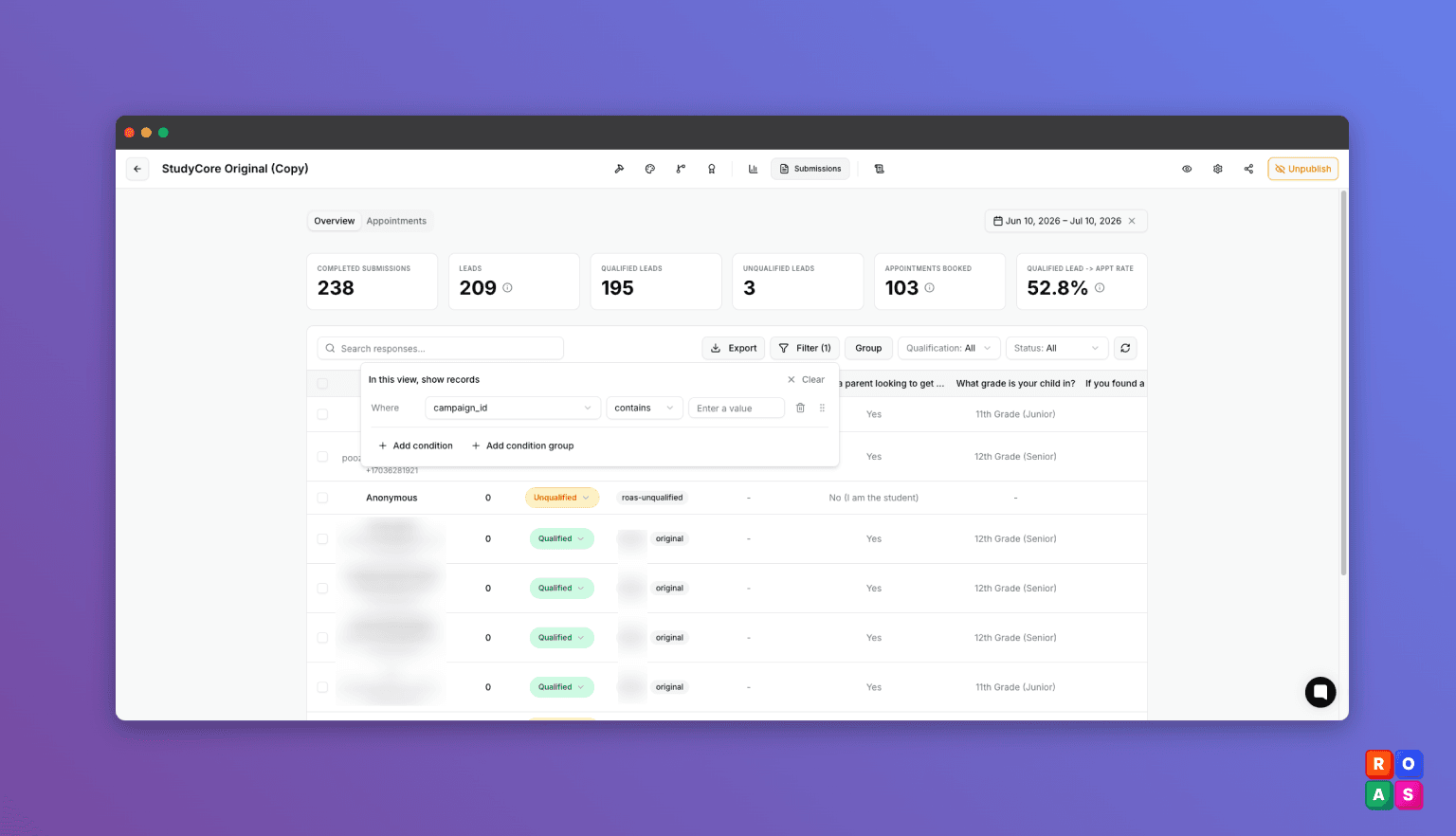
Filter submissions by UTM and ad url parameters!
Filter your submissions by the tracking data that arrived with them, like utm_source, utm_campaign, or any other parameter from your ad links.
This lets you see which ads and campaigns are performing, generating leads, and booked called.
Combine multiple conditions and group the results to see exactly which campaigns your leads come from.
Where to find it: on your form's Submissions page, click Filter. Your tracking parameters appear automatically once submissions carry them.
Search integration logs by contact details
Log search now looks inside the data that was actually sent and received. Type an email, phone number, first name, or last name to find every integration log entry for that lead.
Where to find it: In Form Builder, click logs and search.
 Fixed
Fixed
• The cursor jumped to the end while trying to edit the middle digits of a phone number. Fixed.
03. Jul 2026
Share
New
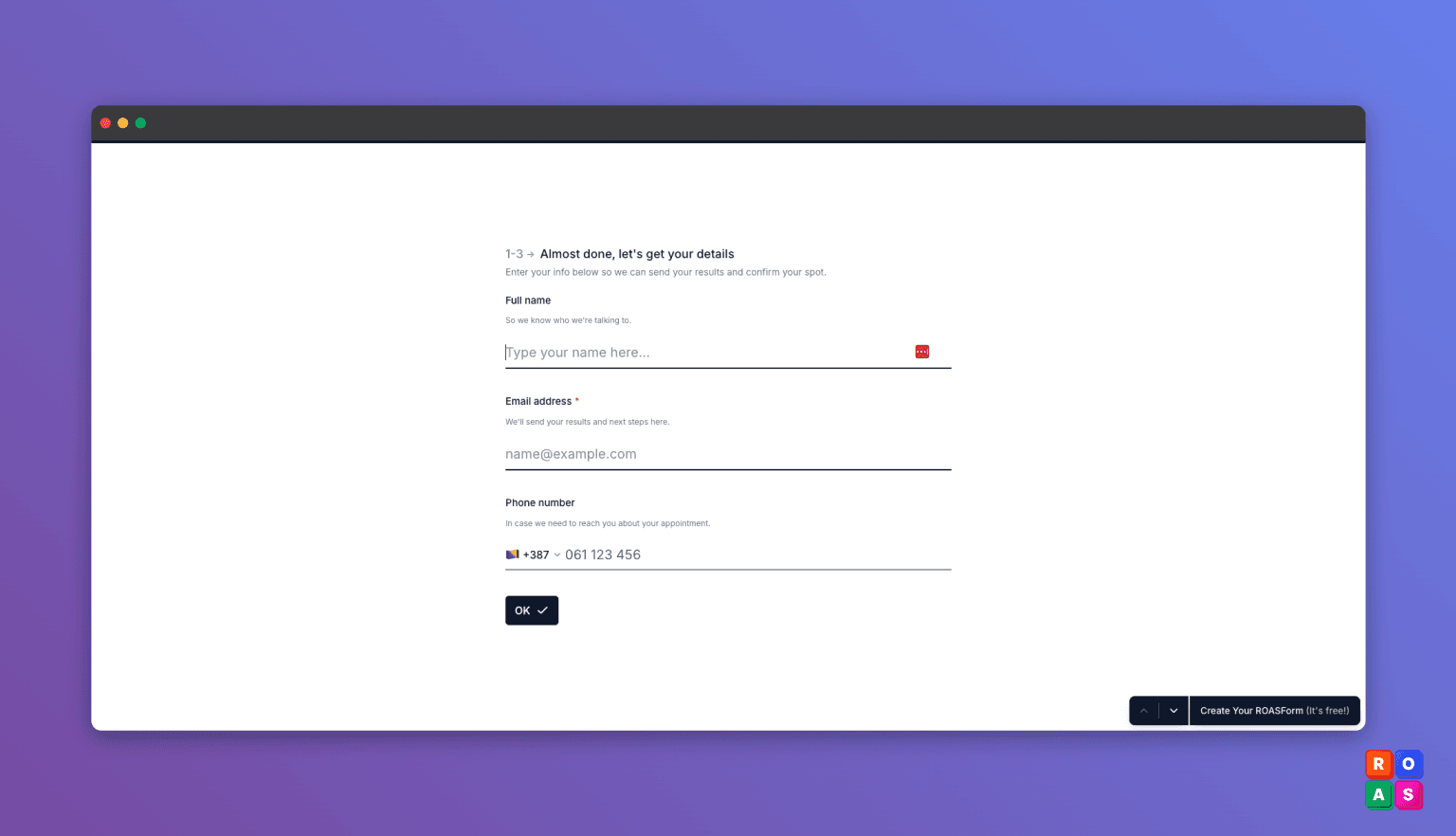
Contact Info card
Show more than one question on a single step, so you can group related fields (like name, email, and phone) onto one page instead of one per screen.
Where to find it: in the form builder, add the "Contact info" element.
Manually qualify your leads
Update a lead's qualification right from the submission view. When you know a lead better than the automatic scoring does, mark them qualified or disqualified yourself. Soon, you’ll be able to manually fire the Meta CAPI too.
Pass booking details into your redirect URL
Add the appointment details (start time, duration, timezone, lead score, qualification status, & more) to your redirect link, so you can pull this data and display it on your thank you page.
For example: Your call is booked On January 10, 5PM EST.
Where to find it: In the form builder, open Settings, then go to the URL Redirects tab, and click Append Booking Data.
 Improved
A cleaner, faster calendar
We polished the calendar booking experience for a smoother, better-looking flow when your leads pick a time. Fixed
• You couldn't remove an owner from a subaccount. Fixed.
• Validation error text is now readable on every theme, and you can set the error color yourself (form design, Colors section, Error).
18. Jun 2026
Share
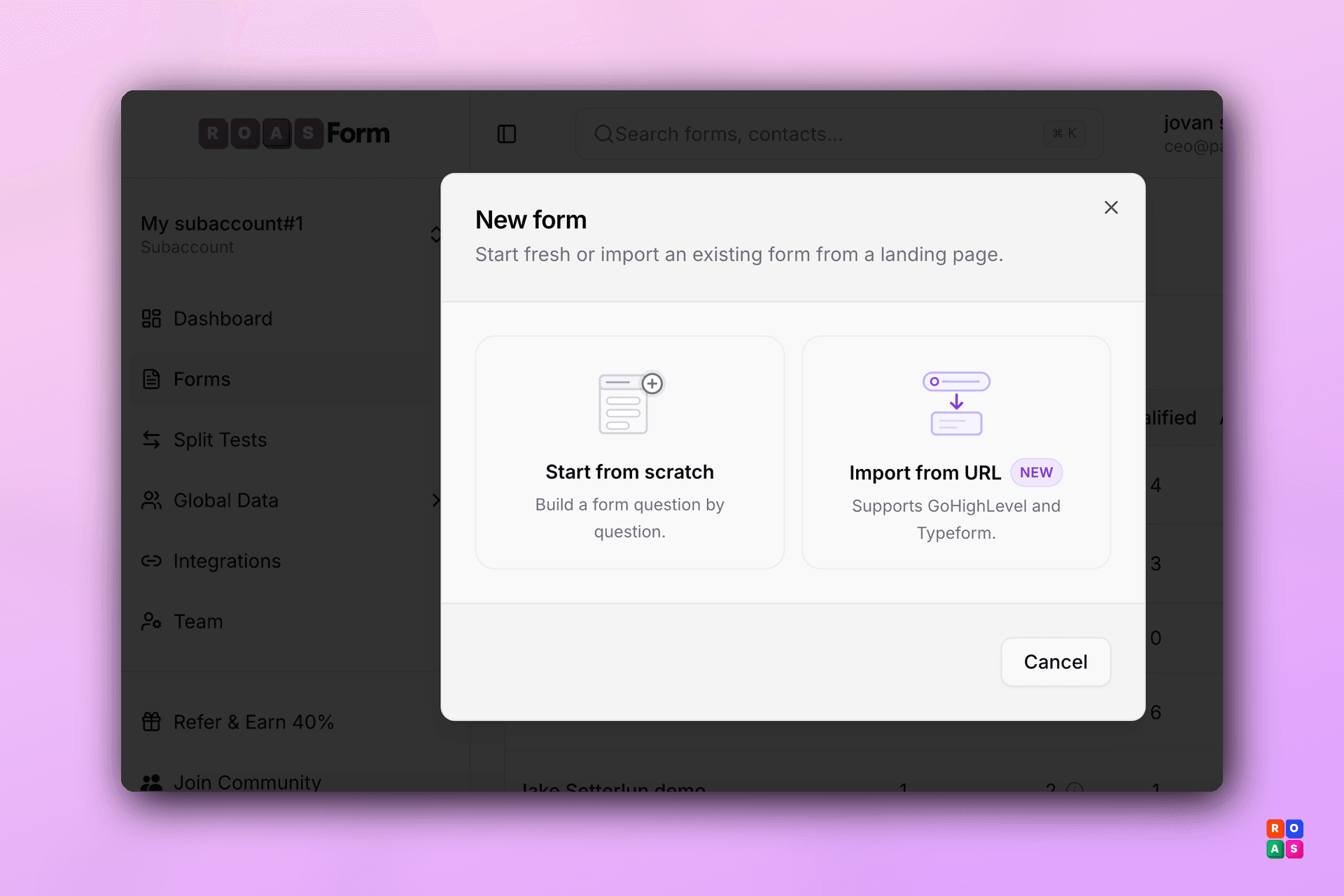
 Import Forms from URL
You can now import your existing forms directly into ROASForm — no more rebuilding from scratch!
Currently supports:
• GoHighLevel Surveys/Forms/Calendars
• Typeform
Just click + New Form → Import from URL, paste your landing page link, and ROASForm will pull in your form fields automatically. This allows you to migrate your existing funnels into ROASForm in seconds instead of manually recreating every question. Integration logs:
In the Form Builder, we’ve added an additional menu item called Integration Logs.
This lets you see all data flowing out of ROASForm into 3rd party integrations, including Facebook CAPI events, GoHighLevel, and Calendly. Bulk Delete for Contacts & Submissions
You can now select multiple contacts or submissions and delete them all at once. No more clicking through one by one — clean up your data in seconds.
18. Jun 2026
Share
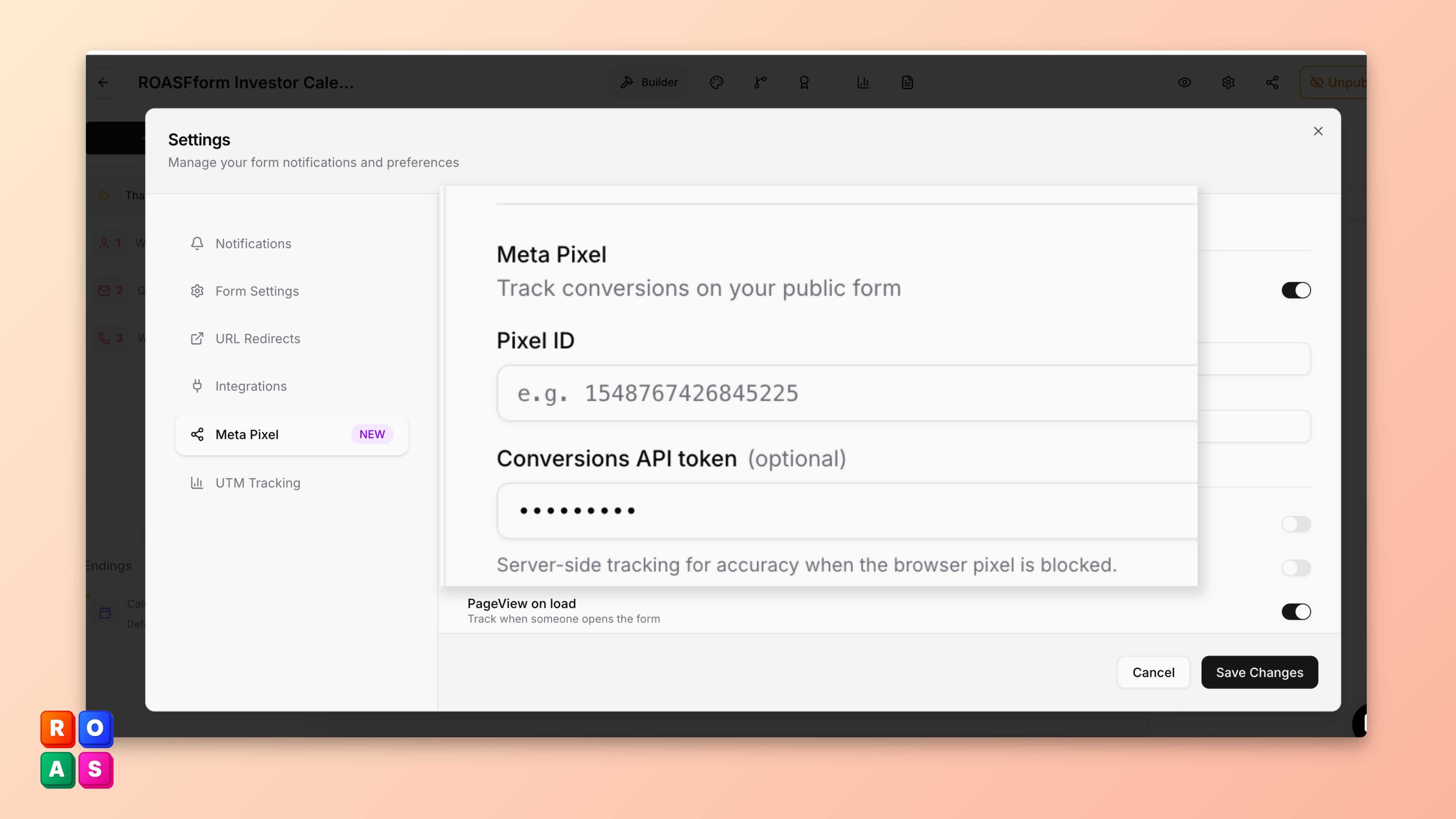
Meta Pixel & Conversions API Integration Is Here!
You can now add your Meta Pixel ID and Conversions API token directly in ROASForm.
Browser-Side Pixel Tracking
Just paste your Pixel ID in your form's settings and ROASForm can automatically fire Lead, Schedule, and any other tracking events on your public form. Your Meta ad campaigns will start receiving conversion data immediately.
Server-Side Tracking with Conversions API
Add your Conversions API token for server-side event tracking. When a visitor's browser blocks the pixel, ROASForm sends the conversion data directly to Meta from the server — so you never miss a lead.
To get started, log in and go to your form settings!
06. May 2026
Share
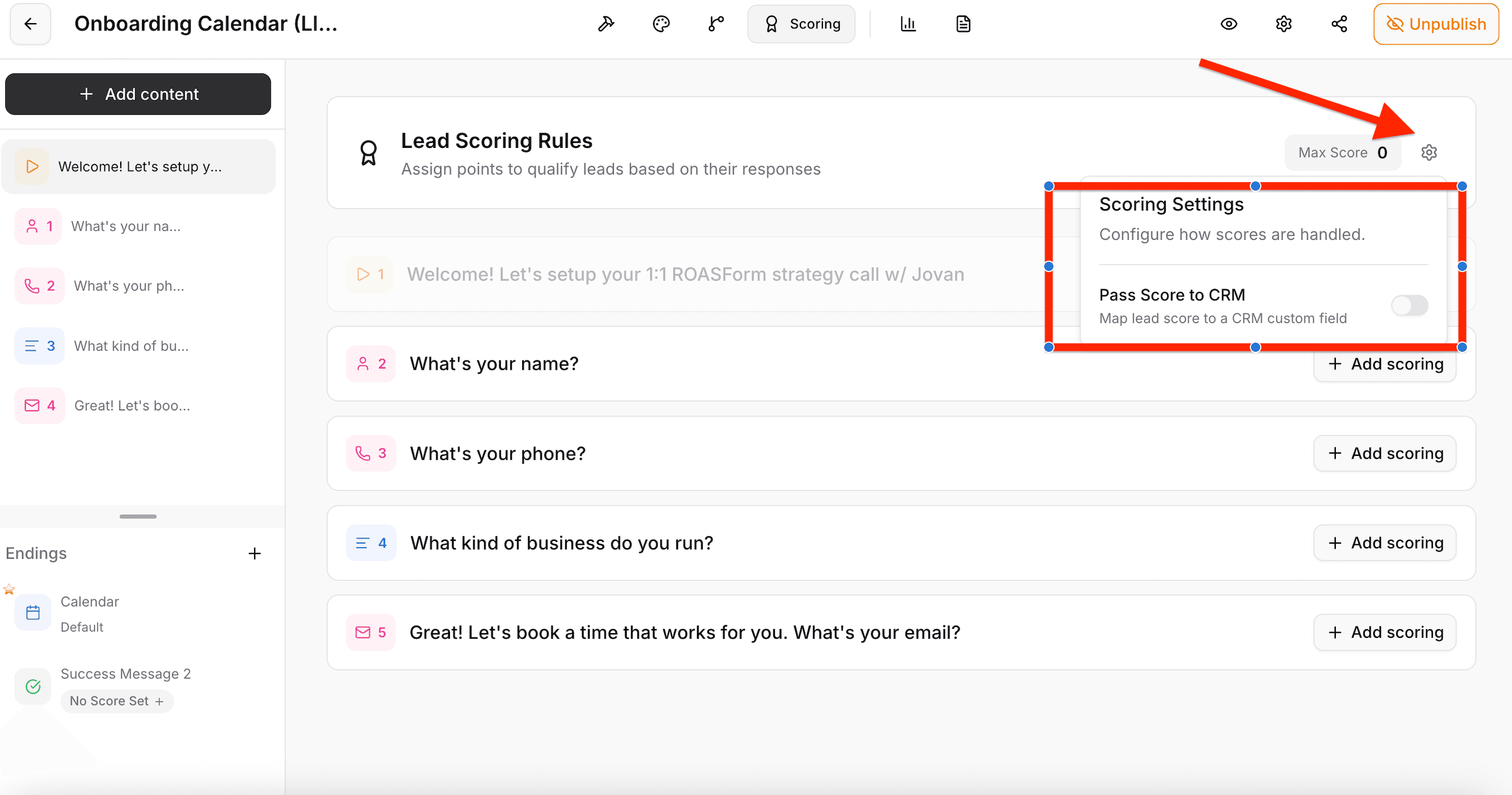
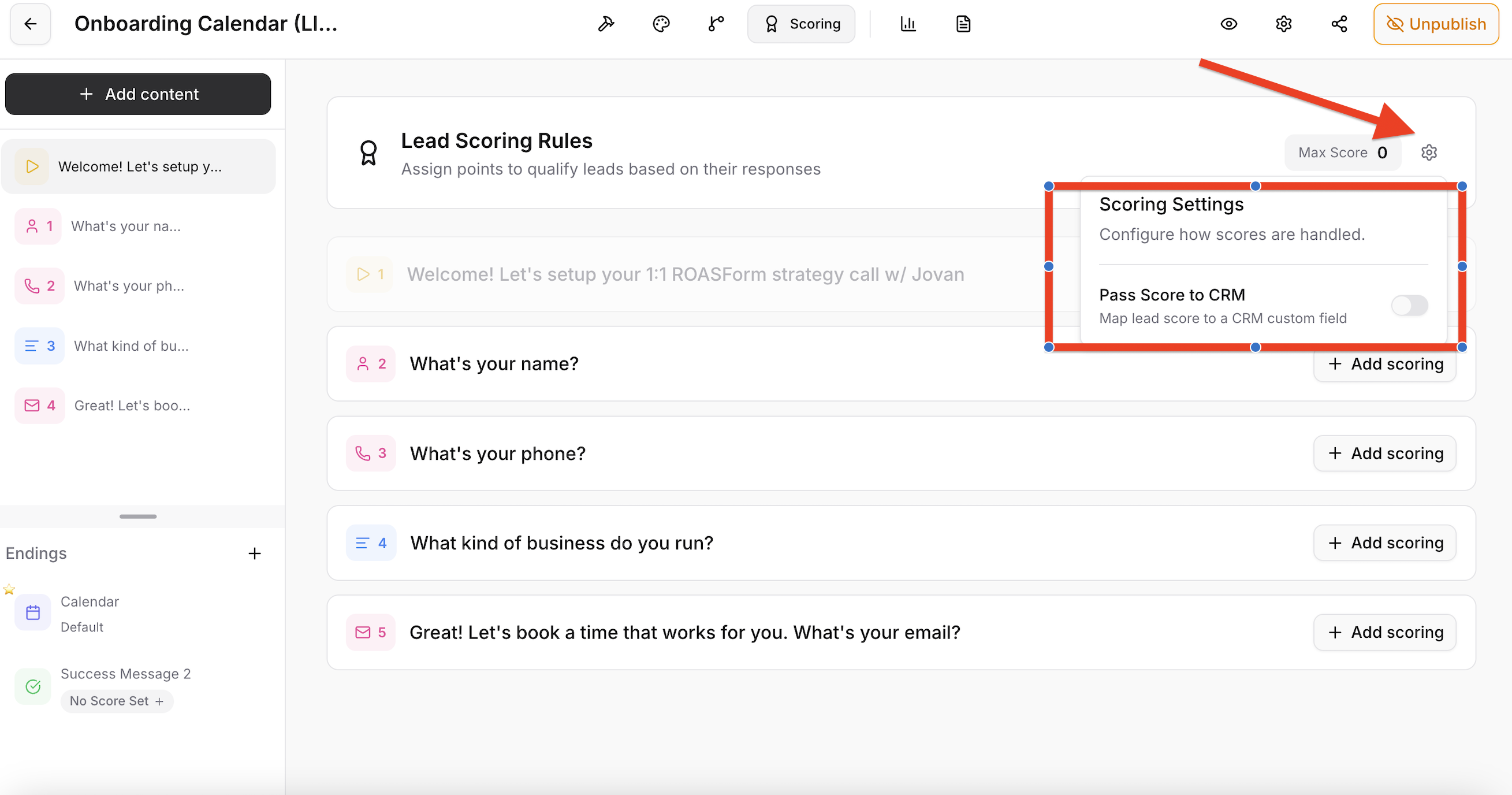
You can now push lead scores to your CRM/GHL.
1. Go to Scoring
2. Find the Options Icon
3. Enable Pass Scoring to CRM
05. May 2026
Share
|