Changelogs
Stay up to date with the latest changes and enhancements.
Stay up to date with the latest changes and enhancements.
10. Jul 2026
Share
 New
New
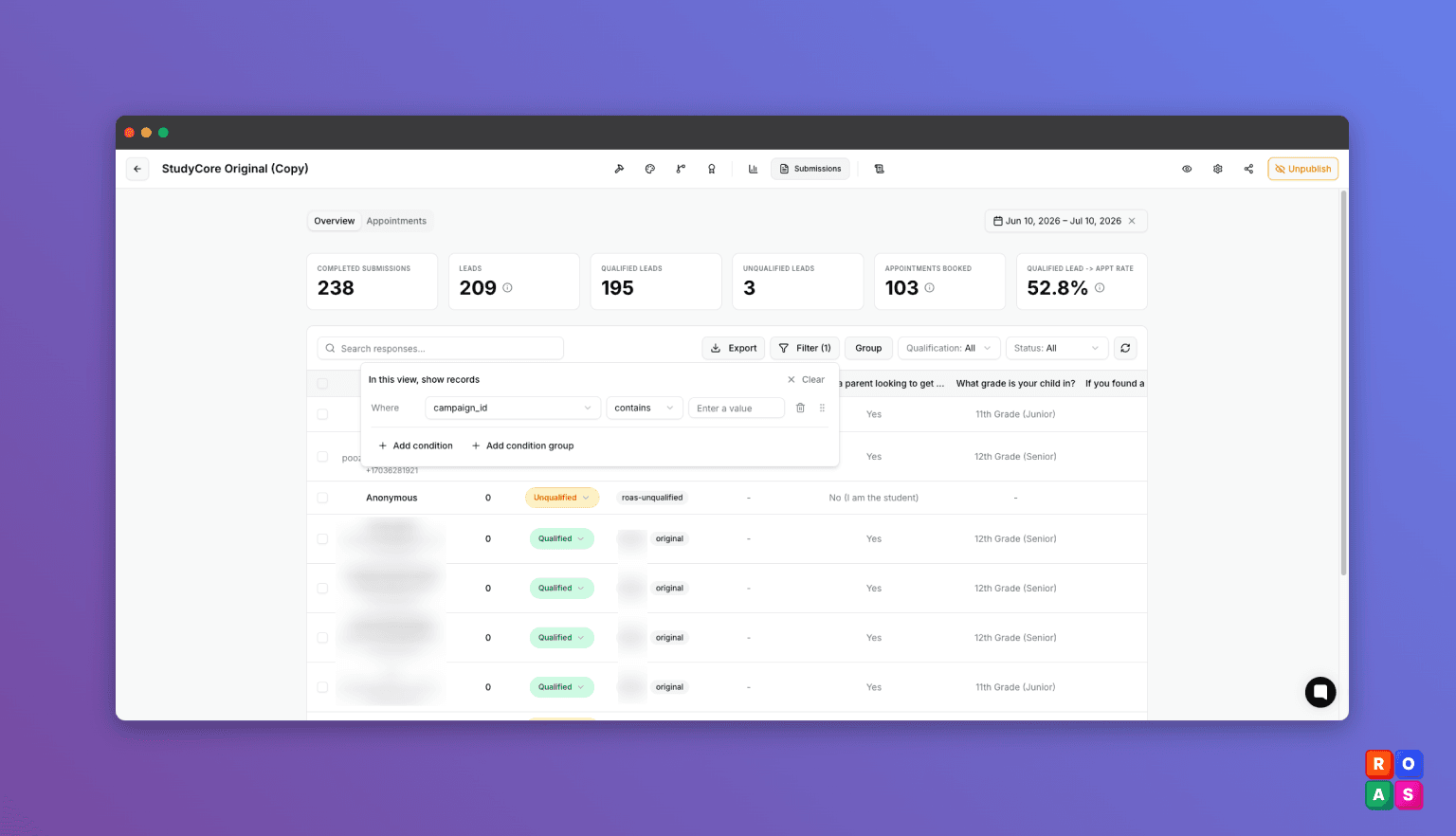
Filter submissions by UTM and ad url parameters!
Filter your submissions by the tracking data that arrived with them, like utm_source, utm_campaign, or any other parameter from your ad links.
This lets you see which ads and campaigns are performing, generating leads, and booked called.
Combine multiple conditions and group the results to see exactly which campaigns your leads come from.
Where to find it: on your form's Submissions page, click Filter. Your tracking parameters appear automatically once submissions carry them.
Search integration logs by contact details
Log search now looks inside the data that was actually sent and received. Type an email, phone number, first name, or last name to find every integration log entry for that lead.
Where to find it: In Form Builder, click logs and search.
 Fixed
Fixed
• The cursor jumped to the end while trying to edit the middle digits of a phone number. Fixed.