
Oct 20, 2026
 New
Credit Checks, Credit Score, Income, and more (X-Ray Finance)
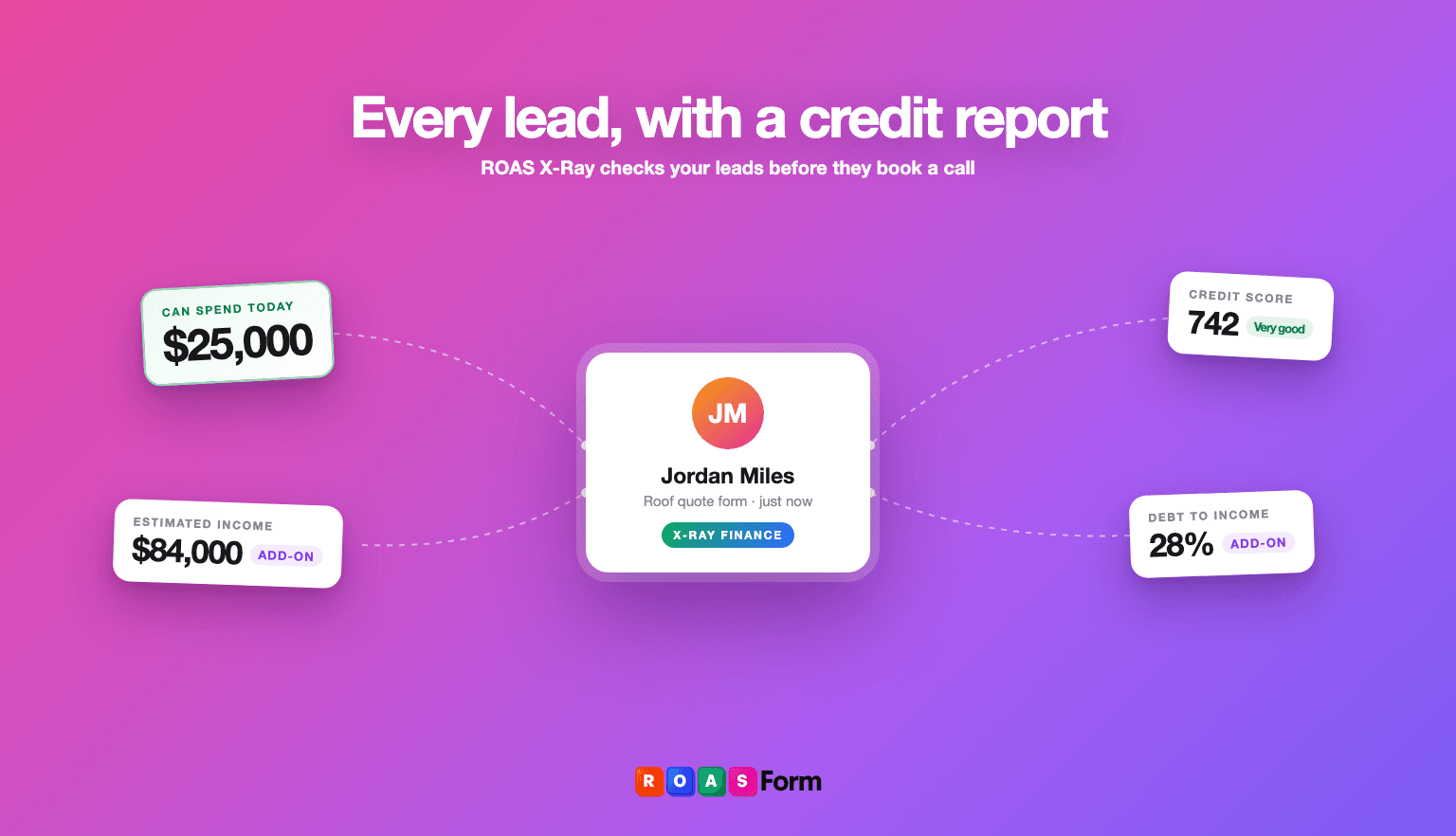
Before a lead books a call, ROASForm can now run a real-time credit check, giving you their credit score, debt-to-income ratio, estimated income, and pre-approval amount using our new product: ROAS X-Ray. All of this happens instantly, behind the scenes, before the booking is confirmed.
You can route high-credit leads to your best closers, set minimum thresholds, or block bookings automatically based on financial signals. It's 100% FCRA compliant.
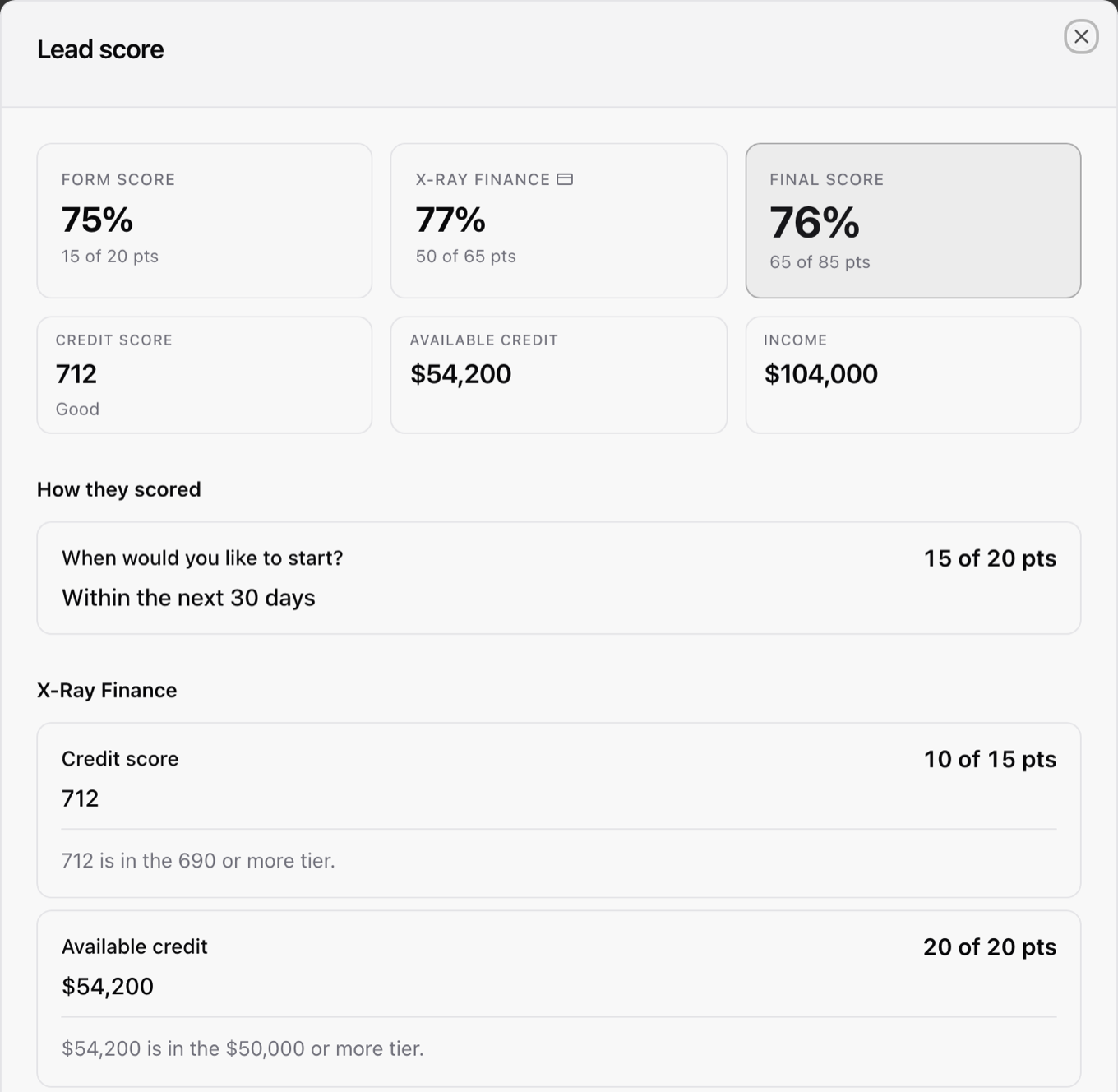
In Contacts, click a lead's score to see their form score and X-Ray score side by side. X-Ray works with US leads, the plan starts with a 7-day free trial, and checks are paid from your X-Ray wallet.
Where to find it: X-Ray in the sidebar, and the X-Ray tab in the form builder
Connect ROASForm to Claude, ChatGPT or Cursor
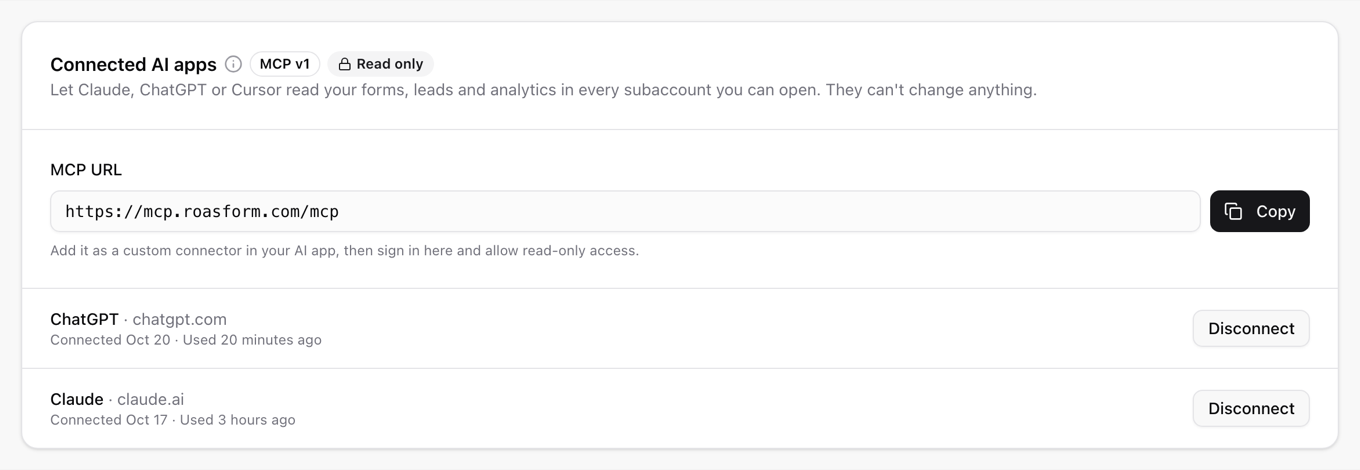
Ask your AI app how your forms are doing, or what happened to a lead. It can read your forms, leads and analytics, but it can't change anything.
Where to find it: click your name in the top right corner, then Profile Settings, Connected AI apps
How to connect: Connect ROASForm to Claude, ChatGPT and other AI apps · Manage and disconnect AI apps · Developer guide
Start a form from a template
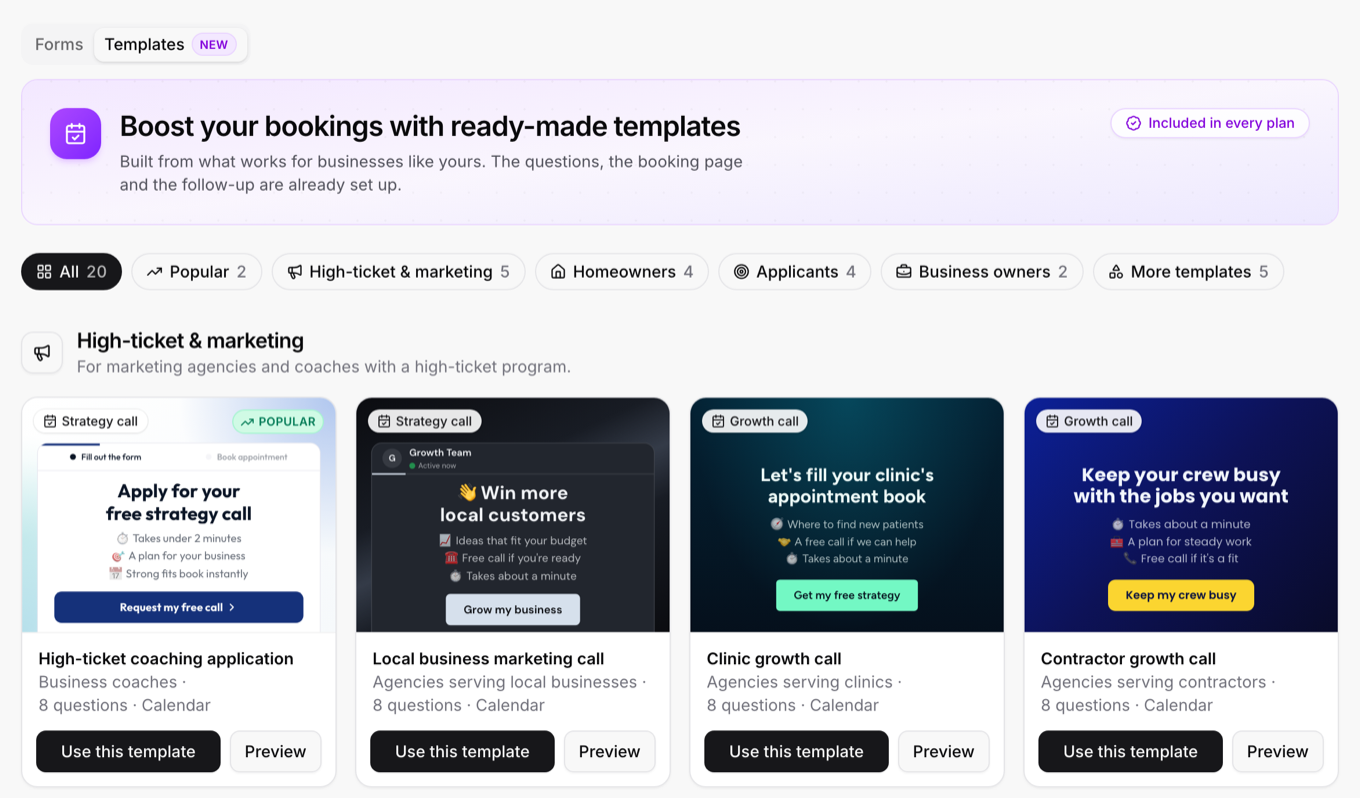
Browse 20 ready-made forms, preview each one live, and get your own editable copy in one click.
Where to find it: Forms, Templates tab, or New form, Start from a template
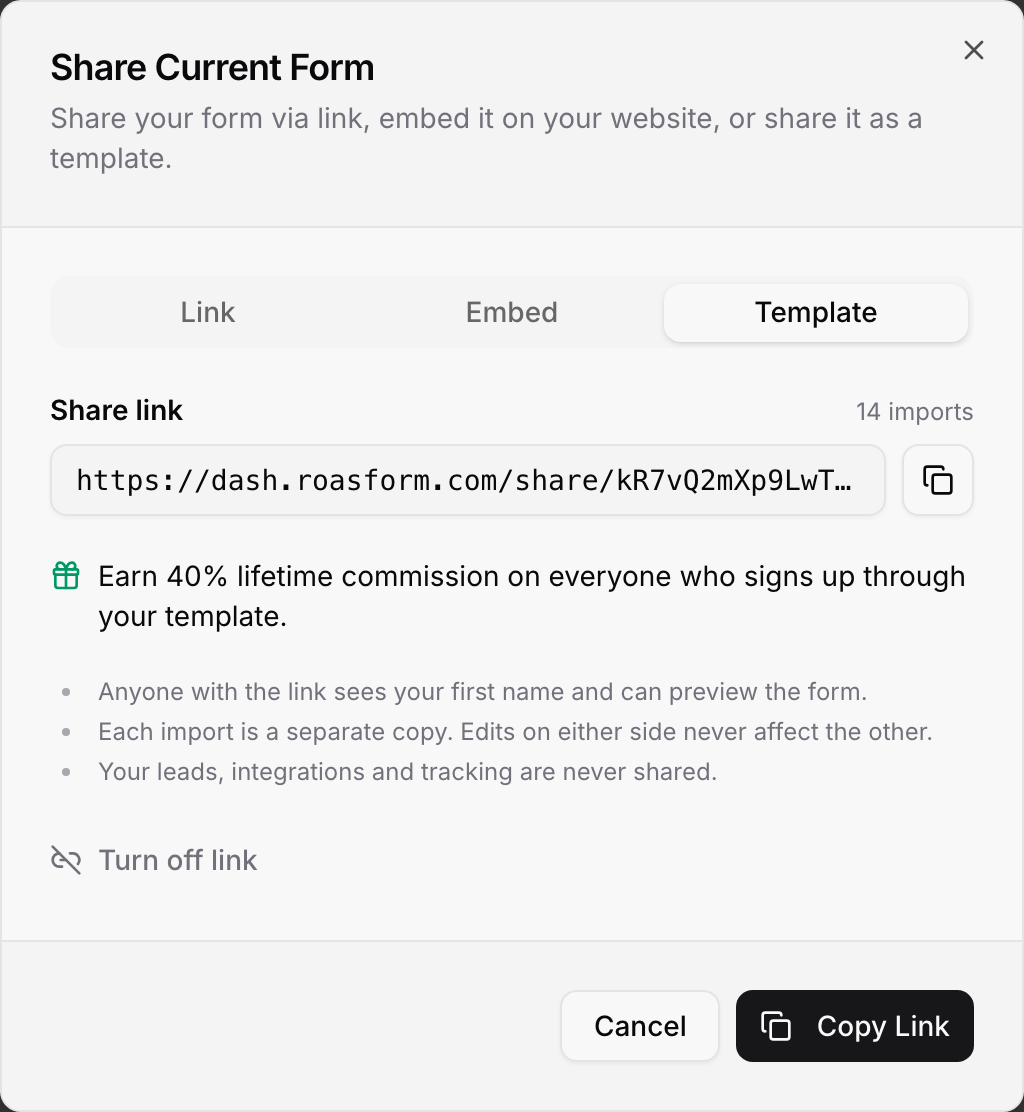
Share your forms as templates
Send a link, and anyone can preview your form live and import their own editable copy. Your leads, integrations and tracking are never shared, and you earn 40% lifetime commission on signups through your template.
Where to find it: in the form builder, click Share, then Template
How it works: Share a form as a template · Use a template someone shared with you
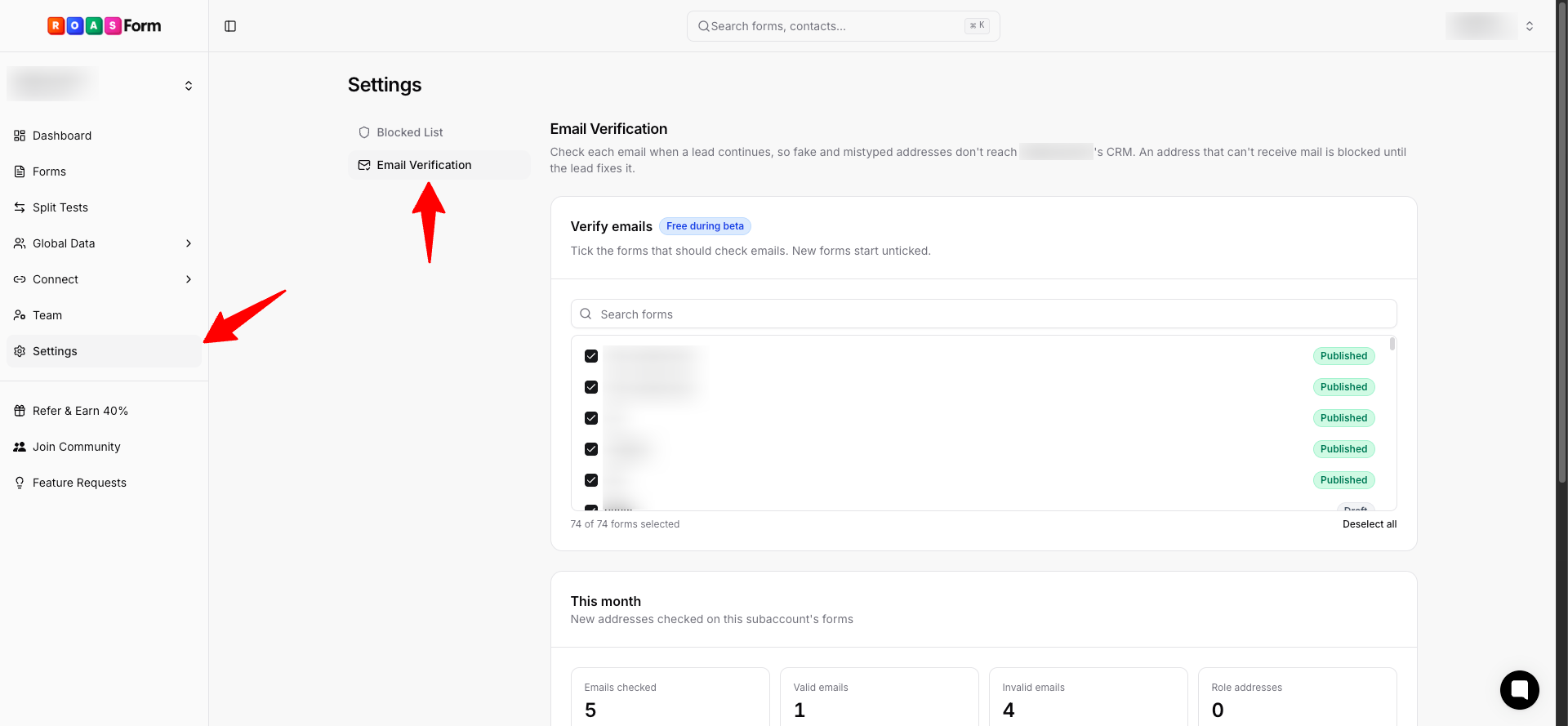
Email verification, free while it is in beta
Turn it on for the forms you choose and every email is checked the moment a lead continues. If the address can't receive mail, the lead is asked to fix it before they can go on, so typos, throwaway inboxes and dead domains never become leads. If a lead leaves with an invalid address, they're held back from your CRM.
Where to find it: Settings, Email Verification. You can also switch it per question on any email question in the form builder
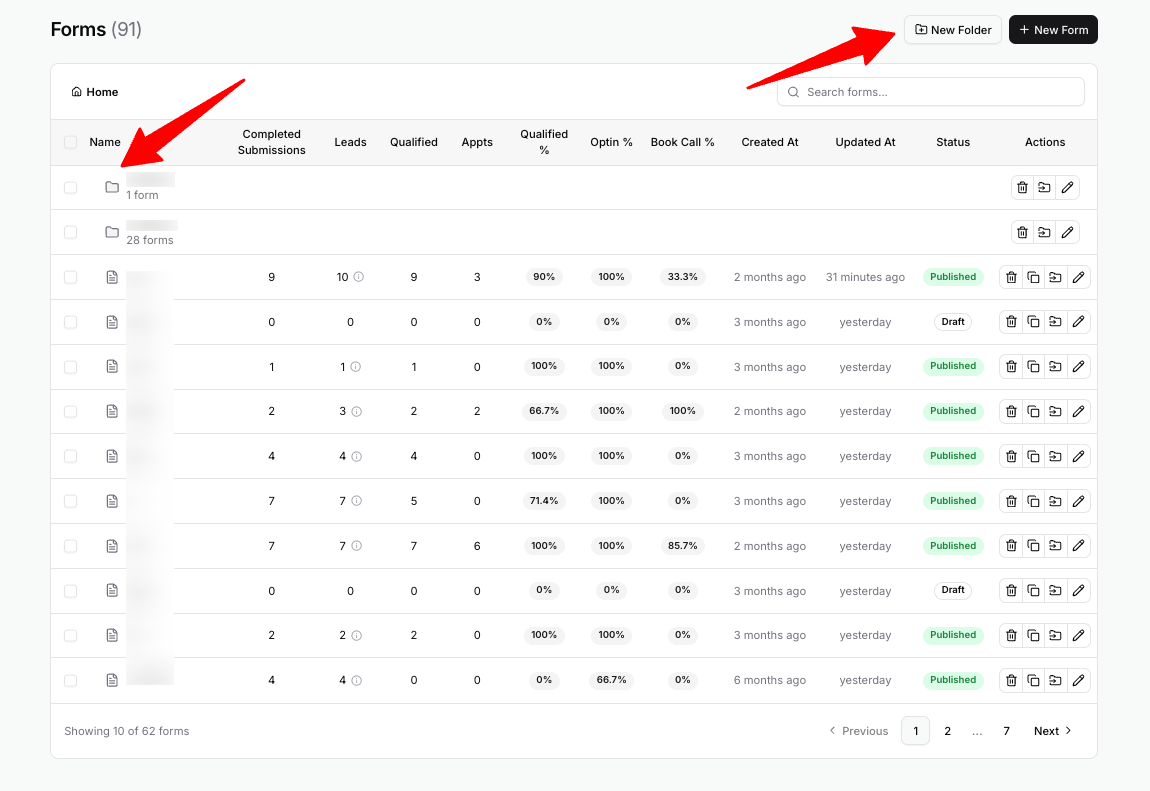
Folders for your forms
Group your forms into folders, and put folders inside other folders. Drag a form or folder onto a folder to move it, or tick several and click Move.
Where to find it: Forms, New Folder
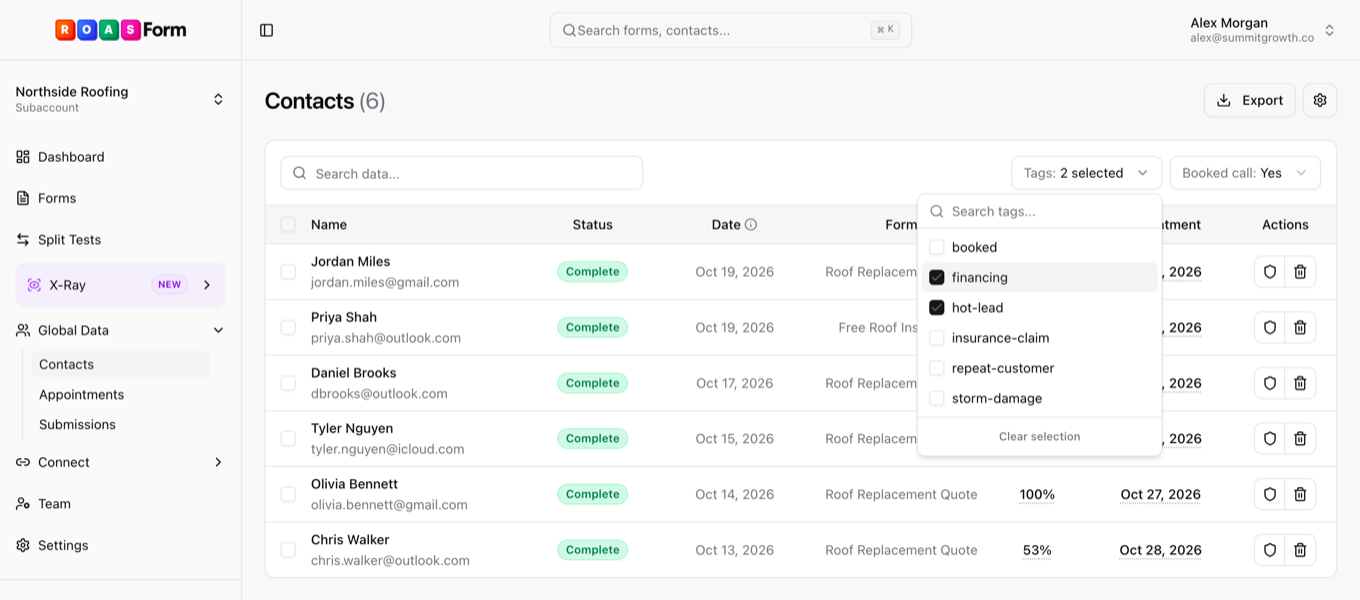
Filter by tags and booked calls
Filter Contacts, Submissions and Appointments by the tags your leads picked up and by whether they booked a call. Select all, Delete and Export CSV follow the same filters.
Where to find it: Contacts, Submissions and Appointments
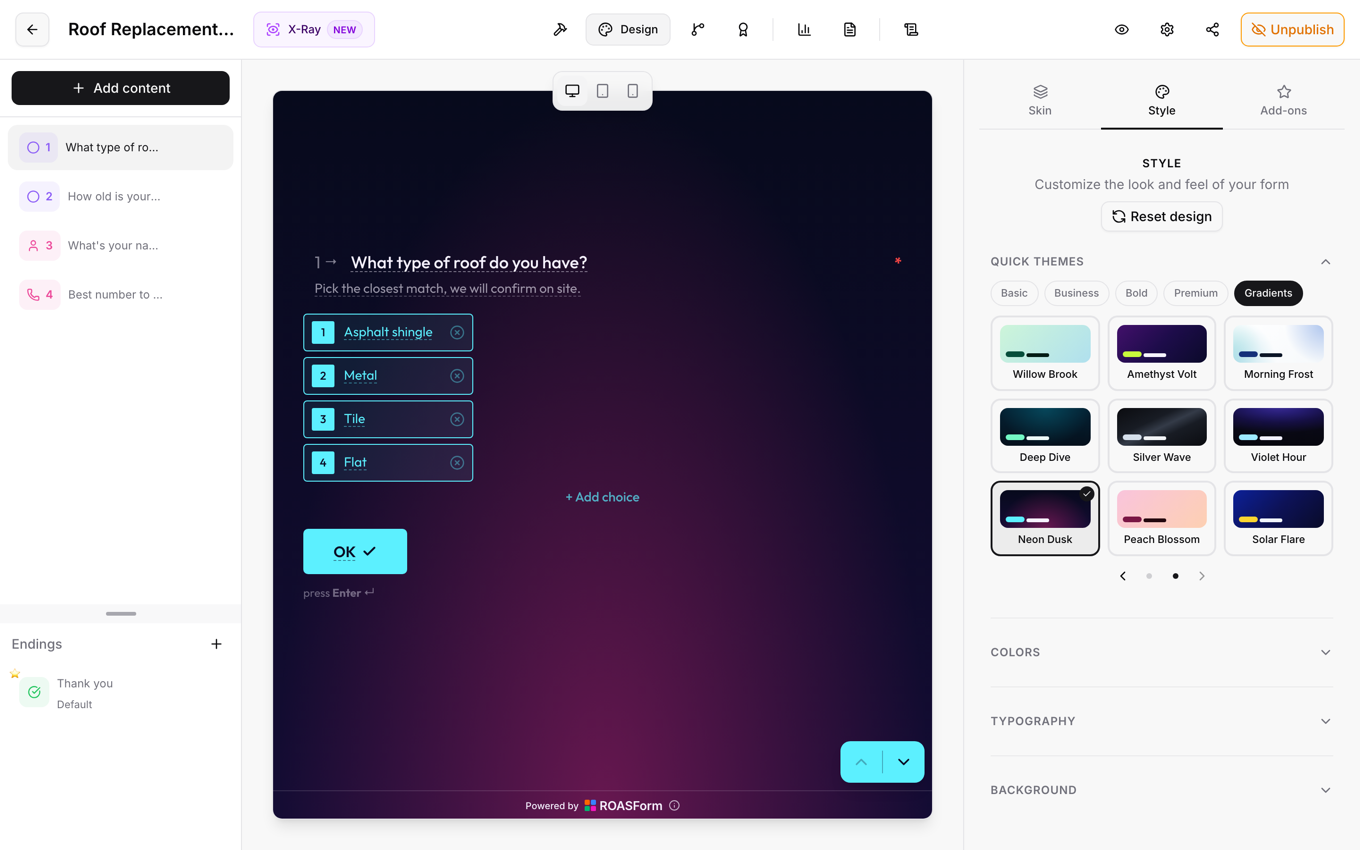
9 new gradient themes
Bolder gradients with stronger text contrast, in every skin.
Where to find it: form builder, Design tab, Gradients
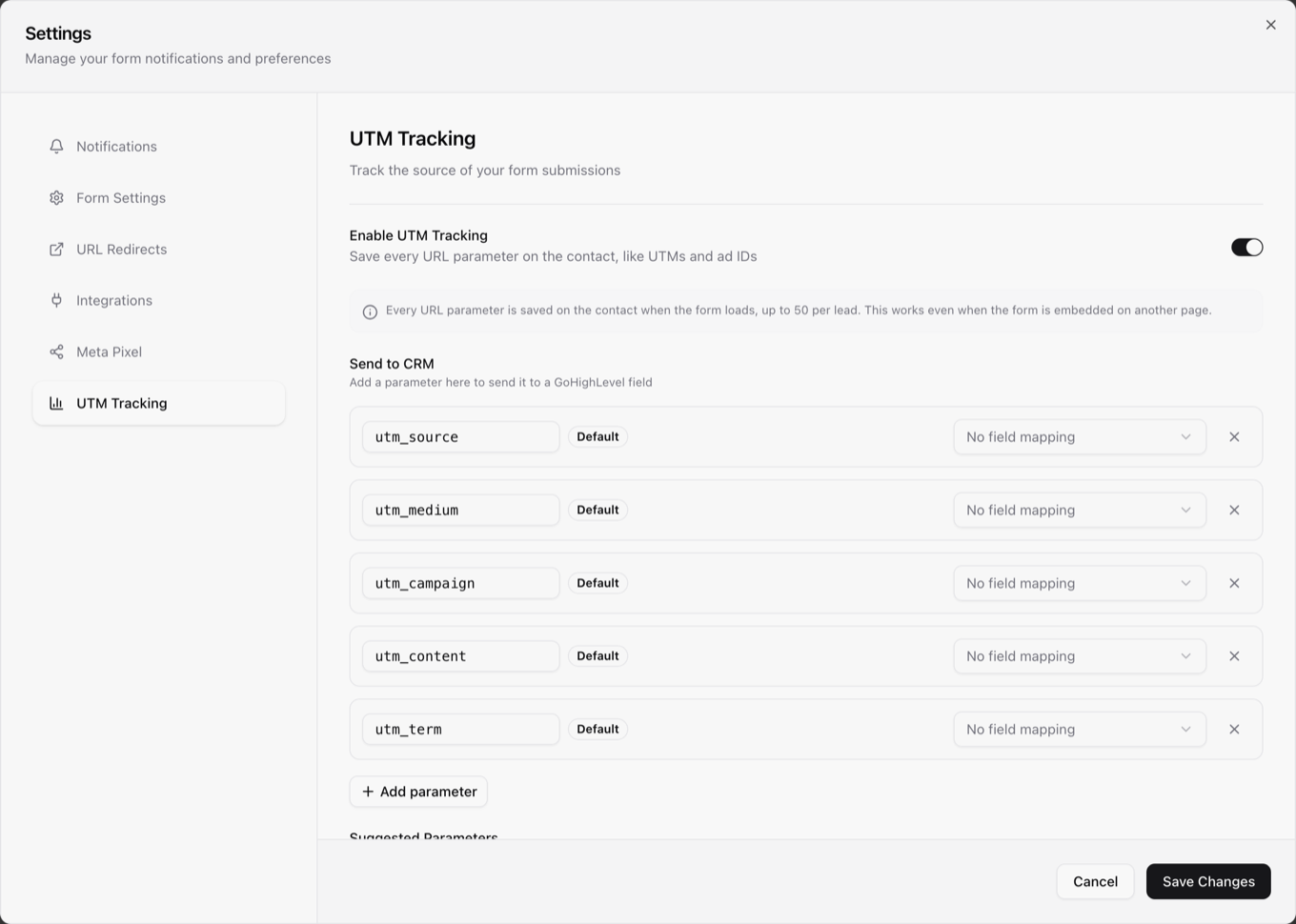
Every URL parameter saved with each lead
With UTM Tracking on, every parameter in the page URL is saved with the lead, along with the full page URL. You still choose which ones go to your CRM.
Where to find it: form builder, Settings, UTM Tracking
 Improved
• Personalization can use just the first or last name from a Name question.
• Redirects, Thank You buttons and text links accept text, call and email links (sms:, tel:, mailto:).
• Filter invoices by status in Billing.
 Fixed
• Leads marked Failed or Fields dropped can be synced to your CRM again.
• Number and Multi-select fields reach GoHighLevel in the right format.
• Large images no longer push the Continue button off the screen.
• Changing button text on the Contact Card is now allowed.